Comparing segmented cohorts
By default, Cohorts Analysis groups users based on the default user segment: all users. This means that the data in the table shows all users from all countries and partners (or lack-thereof) who install your app.
However, you can focus on more specific user segments in a cohort, or even compare cohorts across multiple user segments.
info
Read our guide to learn how to manage your segments.
Using the table
When you've defined multiple user segments, the Cohorts Analysis table shows cohort-aggregated data for each of the segments in sequence:
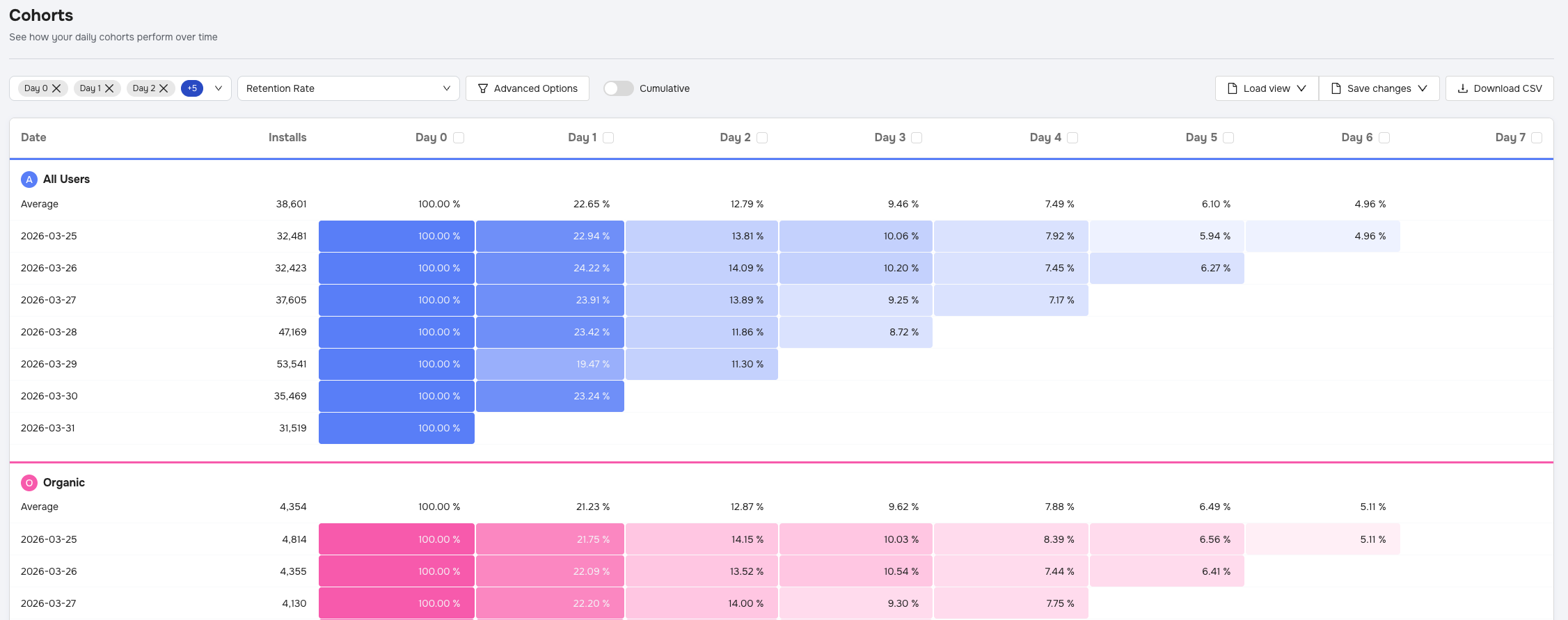
info
You can even click the cohort icon in the table to reconfigure a user segment.
Using the chart
When you select days to visualize in the chart, you'll also find that each of the segments is present:
