Meta Ads
Use this guide to connect Meta Ads to justtrack for Android. Here's what you'll need to configure this partner:
| Source | Field in justtrack | Expected value | Help |
|---|---|---|---|
| Meta for Developers | App ID | Facebook App ID | Find the App ID in the dashboard |
| Meta for Developers | Install Referrer Decryption Key | Install Referrer Decryption Key | Get the decryption key |
| Google Play Store | App URL | Google Play Store URL | Find the Google Play URL |
| Meta Business Manager | Token | System user token | Create a system user token |
| Meta Ads Manager | Account ID | Meta ad account ID | Find the ad account ID |
| Meta Events Manager | App Access Token | Conversions API (CAPI) access token | Generate a CAPI token |
| Meta Events Manager | Dataset ID | Dataset ID | ID of the dataset in Meta Events Manager |
Preparation in Meta Ads
Create an app
Open Meta for Developers and create an app for your business portfolio:
- App type: Business
- Display name: justtrack
- App contact email: Your email address
- Business portfolio: Select your business portfolio.
Add the Marketing API to the app
- Add the Marketing API product.
- Click Set up.
Meta help: Create an app.
Create a system user
- Go to Ads Manager > All tools > Business settings > System users.
- If a suitable system user doesn't already exist, create one:
- System user name: justtrack
- Role: Employee
- Assign assets to the system user:
- Add the app you created earlier and enable View insights access.
- Add the relevant ad accounts and enable Manage campaigns access.
Meta help: Create a system user.
Generate a system user token
- Go to Ads Manager > All tools > Business settings > System users > Generate new token.
- Select the justtrack app you created earlier.
- Set the token expiration to Never.
- Select the
ads_readandads_managementpermissions. - Save the token for later. You'll need it in two places during partner configuration.
Meta help: Generate a system user token.
Generate a CAPI access token
You need developer access to your Meta business portfolio.
Meta help: Generate an access token.
Configure Meta Ads in justtrack
Configuration
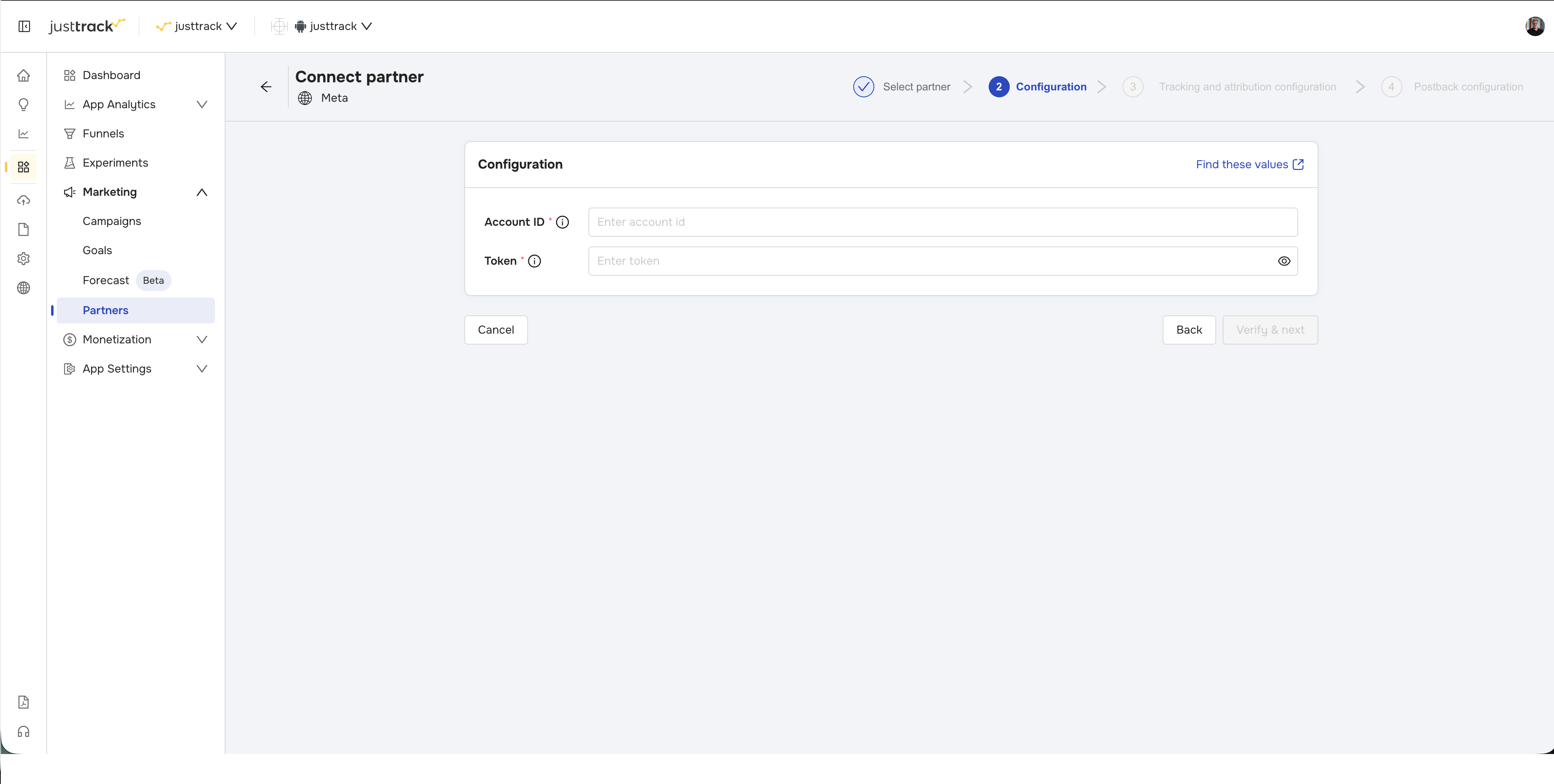
- Account ID: Your ad account ID from Meta Ads Manager.
- Token: Your system user token from Meta Business Manager.
Tracking and attribution configuration
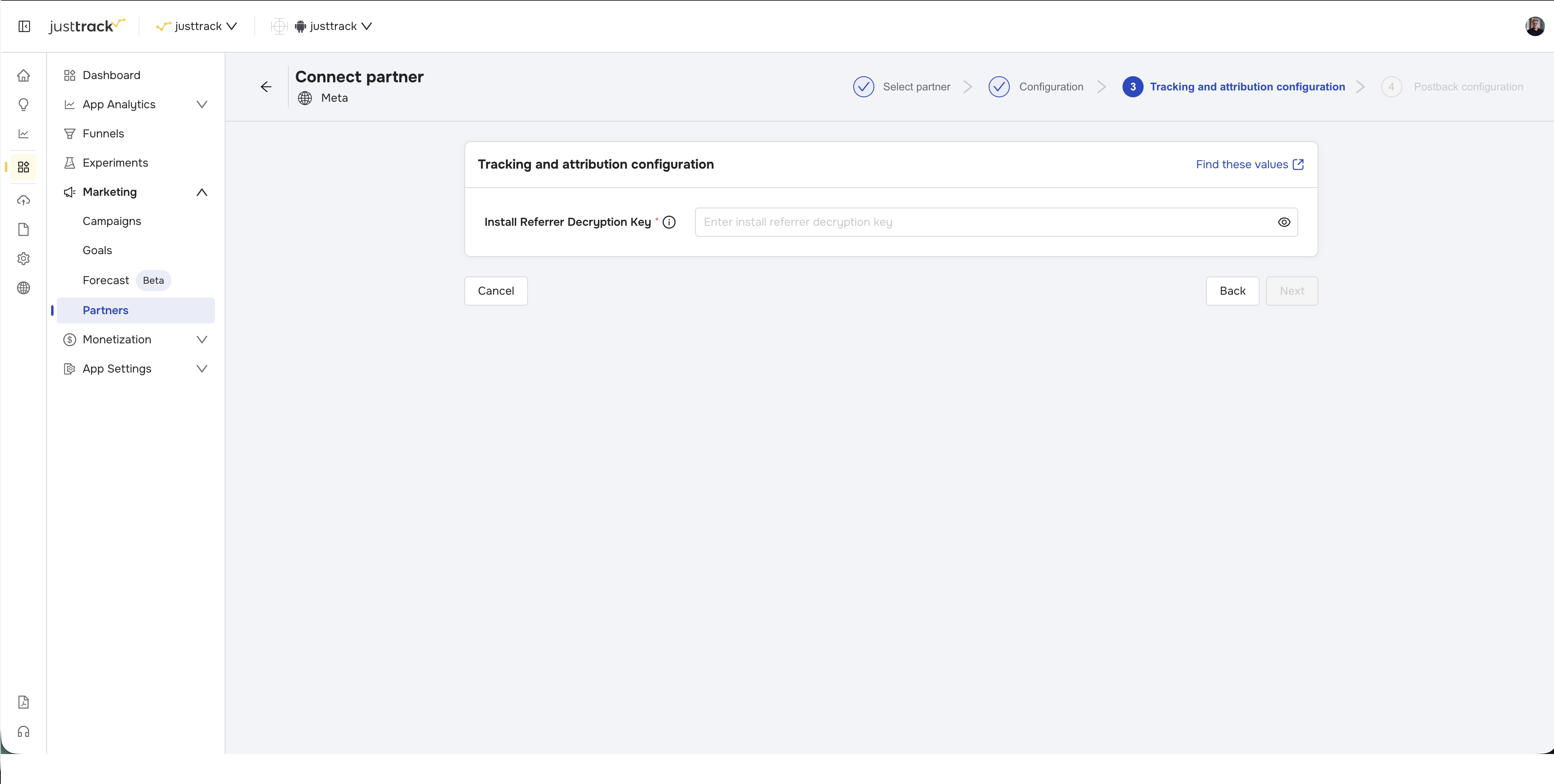
- Install Referrer Decryption Key: From Meta for Developers > Apps.
Postback configuration
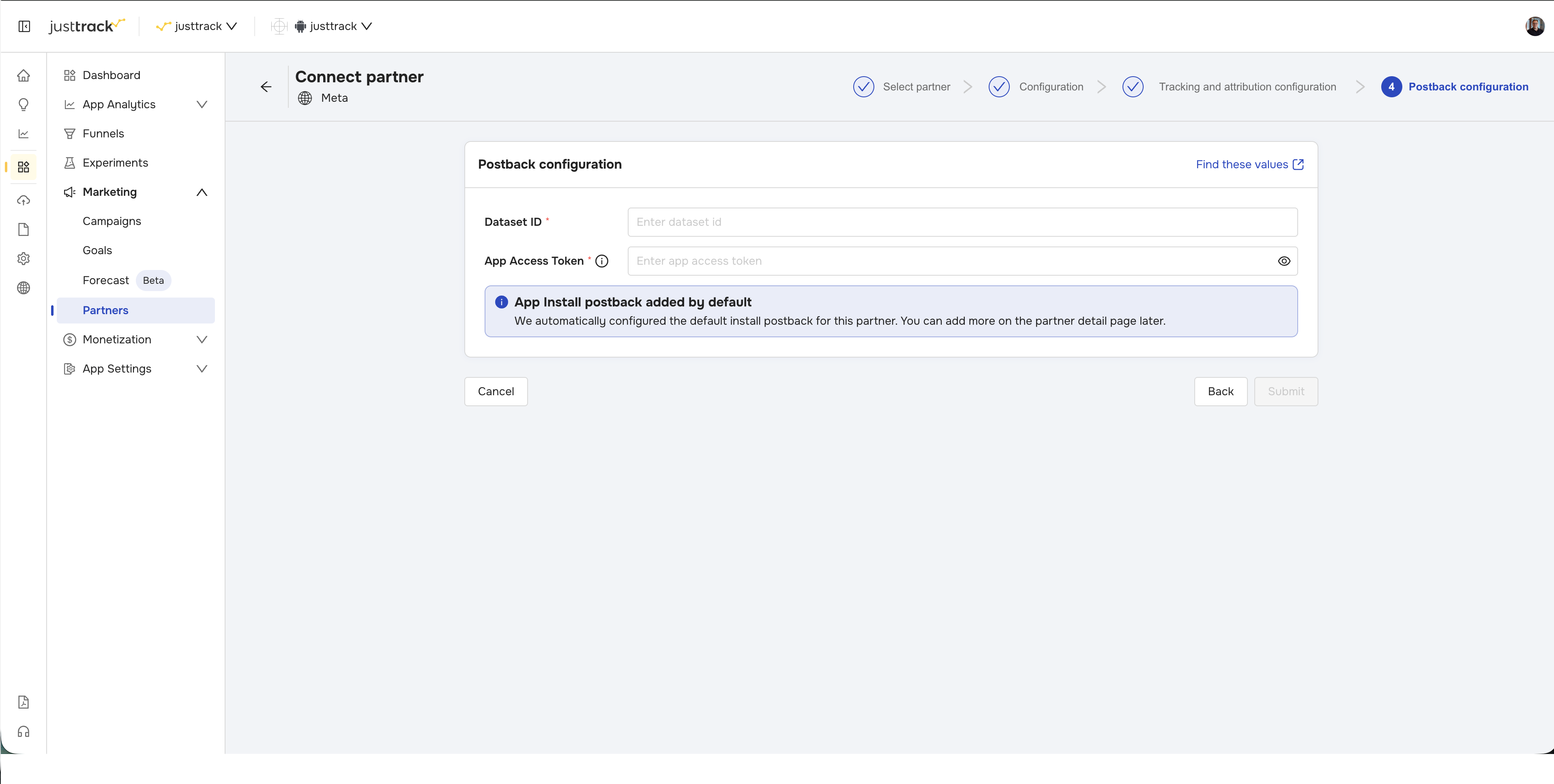
- App Access Token: Your CAPI access token from Meta Events Manager.
- Dataset ID: Your dataset ID from Meta Events Manager.
Campaigns
After completing the wizard, scroll down to the following view:
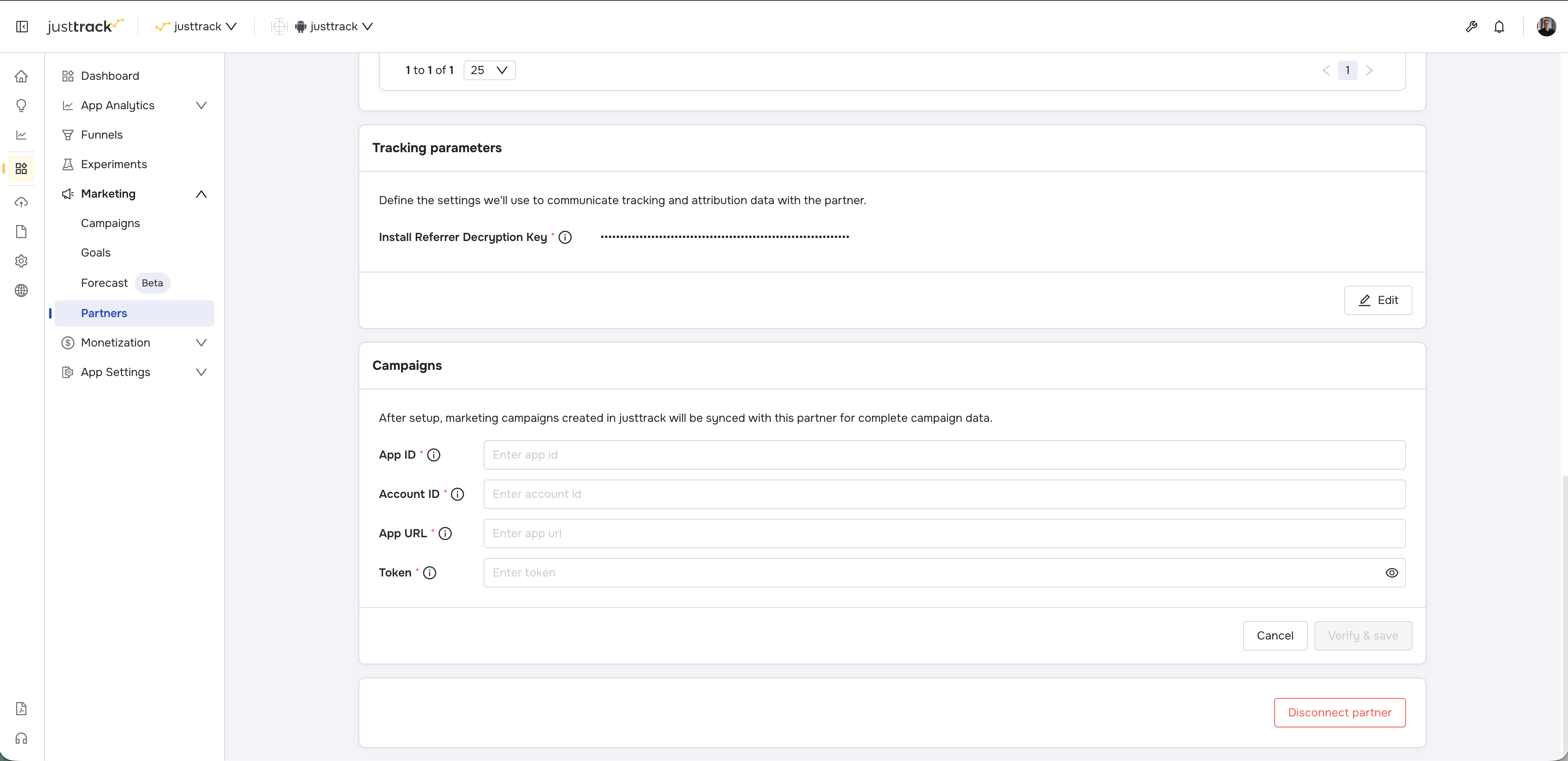
- App ID: Your Facebook App ID from Meta for Developers.
- Account ID: From Meta Ads Manager.
- App URL: From the Google Play Store.
- Token: Your system user token from Meta Business Manager.