Ensure privacy
This page covers every SDK platform and version. A part that applies only to some platforms starts with Platform: …, and a part that applies only to some SDK versions starts with SDK version: ….
We offer multiple privacy-preserving methods to manage the data sent to us from your app. These methods help to ensure that private information is not exposed without user consent and that user privacy is maintained in accordance with relevant data protection laws and regulations.
Start tracking
Our SDK offers the flexibility to start tracking at any point in your application. By default, it begins tracking automatically to simplify the development process.
Platform: Android, React NativeIf you prefer to control when tracking starts, you can opt out of automatic tracking by calling
sdkBuilder.setManualStart(true) and then manually starting the SDK using sdk.start().
If you prefer to control when tracking starts, you can opt out of automatic tracking by calling
sdkBuilder.set(manualStart: true) and then manually starting the SDK using sdk.start().
If you prefer to control when tracking starts, you can opt out of automatic tracking by calling
JusttrackSdk.initialize() with parameter manualStart set to true and then manually starting
the SDK using sdk.start().
If you prefer to control when tracking starts, pass true as the second argument to
JustTrackSdk.initialize() and then call JustTrackSdk.start() when you're ready.
If you prefer to control when tracking starts, you can opt out of automatic tracking by checking the Manual Start toggle on the justtrack settings pane.
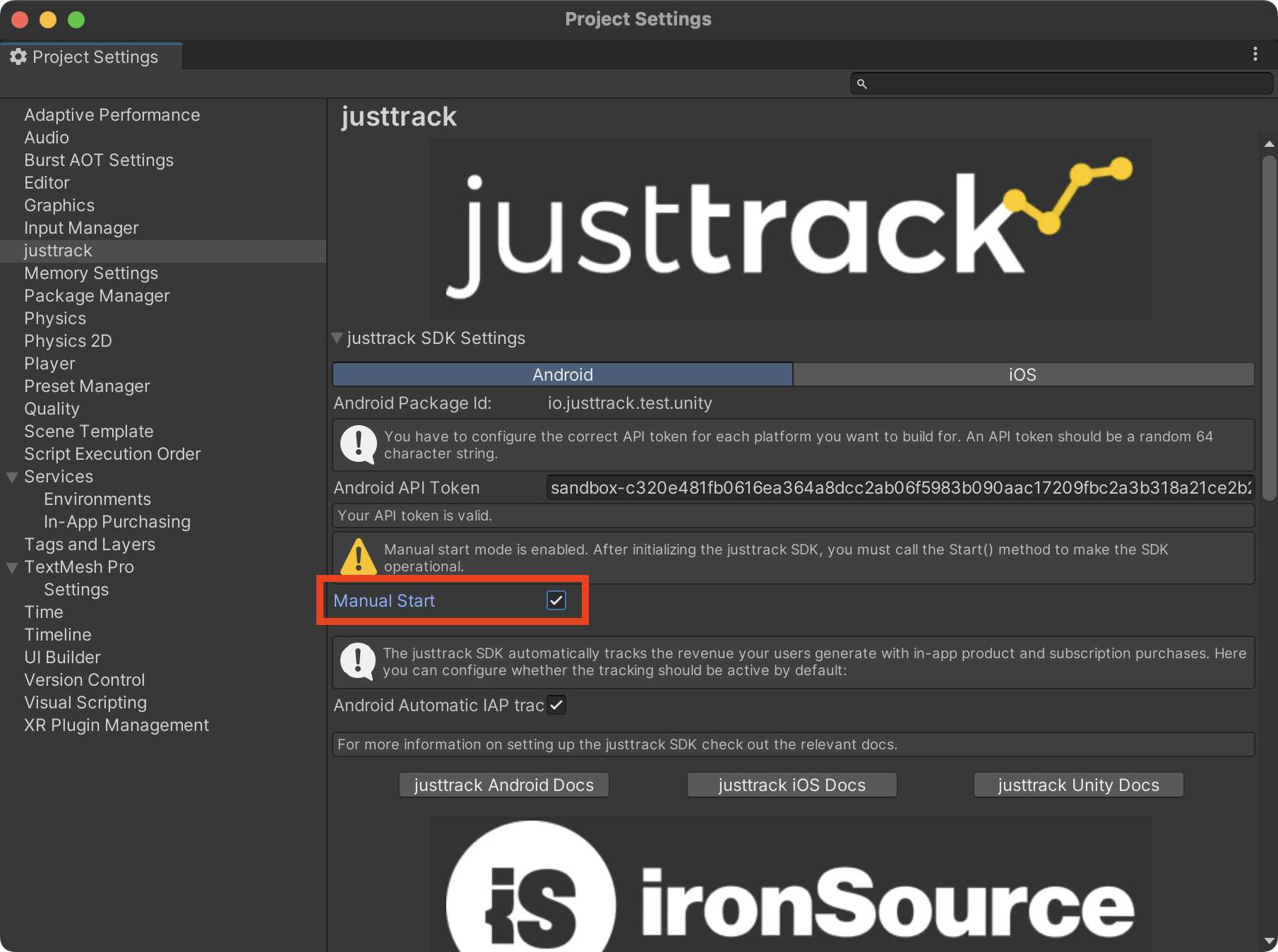 Platform: Unreal
If you prefer to control when tracking starts, set bManualStart to true on your
FJustTrackConfig — or check Manual Start in Project Settings > Plugins > justtrack
SDK if you configure the SDK there — and then call Start() once you're ready.
- Android
- iOS
- Unity
- React Native
- Flutter
- Godot
- Unreal
Platform: Android
val builder: SdkBuilder = /* create the builder somehow */ JustTrackSdkBuilder(this, API_TOKEN)
val sdk: JustTrackSdk = builder
    // disable automatic tracking
    .setManualStart(true)
    // other options...
    .build()

// calling start() manually later
sdk.start()
Platform: iOS
let builder = JustTrackSdkBuilder(apiToken: apiToken)
let sdk = builder
    // disable automatic tracking
    .set(manualStart: true)
    // other options...
    .build()

// calling start() manually later
sdk.start()
Platform: Unity
// calling Start() manually later
JustTrackSDK.Start()
Platform: React Native
await new JustTrackSdk.JusttrackSdkBuilder(API_TOKEN)
    // disable automatic tracking
    .setManualStart(true)
    // other options...
    .initialize();

JustTrackSdk.start();
Platform: Flutter
// Initialize with manual start
await JustTrackSdk.initialize(
  apiToken: apiToken,
  manualStart: true,
);

// Start tracking manually later
await JusttrackSdk.start();
Platform: Godot
# Initialize with manual start (second argument = true)
JustTrackSdk.initialize(api_token, true)

# Start tracking manually later
JustTrackSdk.start()
Platform: Unreal
FJustTrackConfig Config;
Config.ApiToken = TEXT("...paste your API token here");
// disable automatic tracking
Config.bManualStart = true;

JustTrack->InitializeSdk(Config, OnComplete);

// calling Start() manually later
JustTrack->Start();
Stop tracking
If the SDK is currently tracking, you can stop it at any time by calling sdk.stop().
- Android
- iOS
- Unity
- React Native
- Flutter
- Godot
- Unreal
Platform: Android
sdk.stop()
Platform: iOS
sdk.stop()
Platform: Unity
JustTrackSDK.Stop()
Platform: React Native
JustTrackSdk.stop();
Platform: Flutter
await JusttrackSdk.stop();
Platform: Godot
JustTrackSdk.stop()
Platform: Unreal
JustTrack->Stop();
Events you track while the SDK is stopped are dropped. Call Start() again to resume tracking.
Anonymize
If you want the SDK to track usage while keeping user data anonymous, you can call sdk.anonymize().
This allows tracking to continue, but any sensitive user data will be hashed to protect user privacy.
- Android
- iOS
- Unity
- React Native
- Flutter
- Godot
- Unreal
Platform: Android
sdk.anonymize().get()
Platform: iOS
sdk.anonymize()
Platform: Unity
JustTrackSDK.Anonymize(
    () =>
    {
        Log("Anonymize (Success)");
    },
    (message) =>
    {
        Log("Anonymize (Failure) " + message);
    });
Platform: React Native
await JustTrackSdk.anonymize();
Platform: Flutter
await JusttrackSdk.anonymize();
Platform: Godot
JustTrackSdk.anonymize_completed.connect(func(): print("Anonymized"))
JustTrackSdk.anonymize_failed.connect(func(code, msg): push_error("Anonymize failed: " + msg))
JustTrackSdk.anonymize()
Platform: Unreal
void AMyActor::AnonymizeTracking()
{
    UJustTrackSubsystem* JustTrack = GetGameInstance()->GetSubsystem<UJustTrackSubsystem>();

    FJustTrackVoidResult OnComplete;
    OnComplete.BindUFunction(this, GET_FUNCTION_NAME_CHECKED(AMyActor, HandleAnonymized));

    JustTrack->Anonymize(OnComplete);
}

void AMyActor::HandleAnonymized(bool bSuccess, const FJustTrackError& Error)
{
    if (!bSuccess)
    {
        UE_LOG(LogTemp, Warning, TEXT("Anonymize failed: %s (%s)"), *Error.Message, *Error.Code);
        return;
    }

    UE_LOG(LogTemp, Log, TEXT("Tracking is now anonymized"));
}